DBW Scanner
Buy DBW Scanner
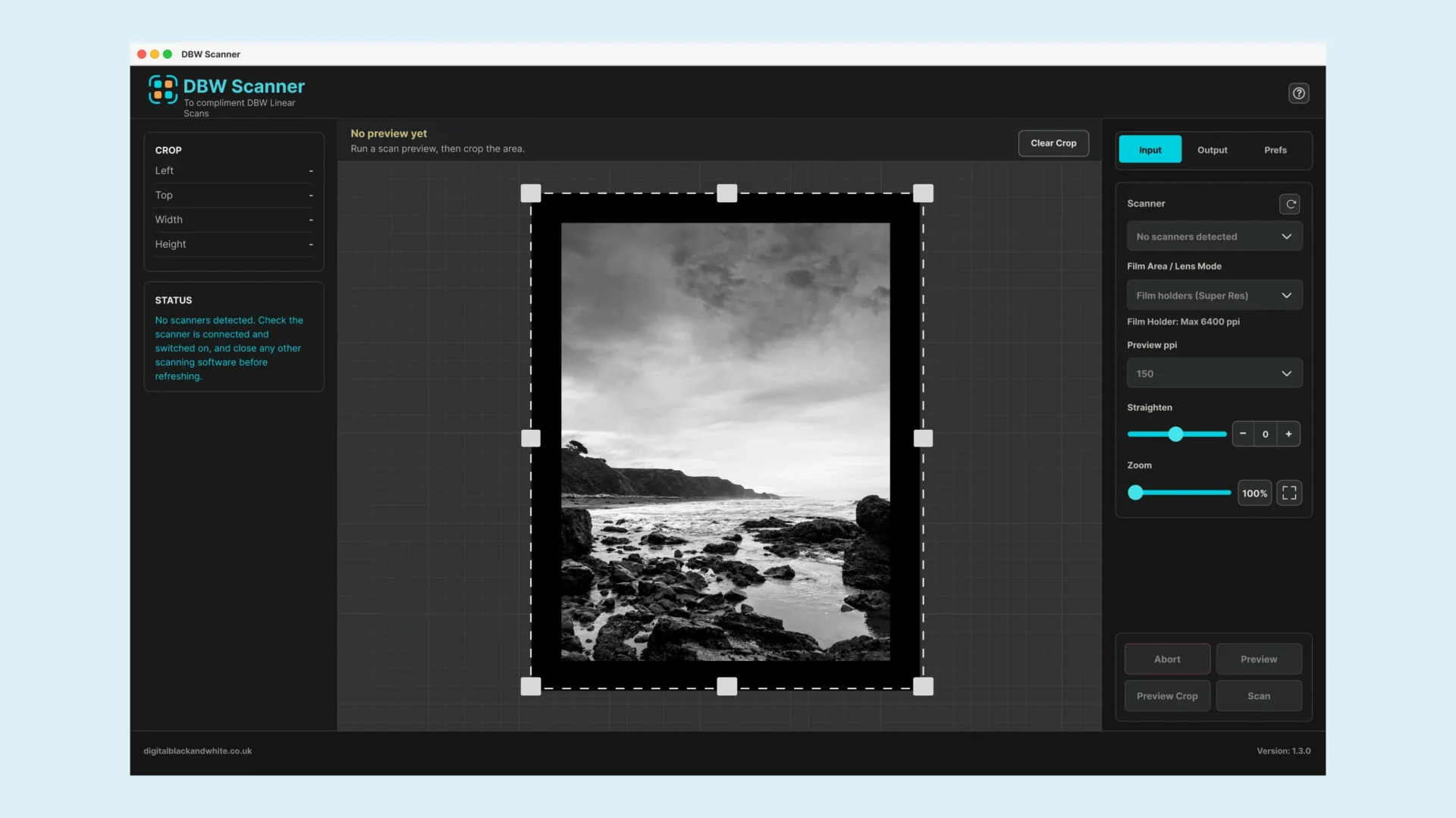
DBW Scanner is an easy to use no frills desktop application for scanning black and white film negatives using supported Epson scanners. It is designed to make the scanning process as straightforward as possible, giving you clean 16-bit TIFF linear scans and is the perfect companion for the DBW Linear Scans converter should you be using it.
Supported Scanners
DBW Scanner currently only supports the Epson Perfection V800 / V850 / V700 / V750 family, connected directly by USB.
DBW Scanner uses a custom made scanner driver and is built specifically for Epson transparency scanners that use the supported direct USB control path. This is what allows the app to create predictable 16-bit greyscale TIFF negatives for DBW Linear Scans.
None Supported Scanners
Other Epson models, Canon scanners, Nikon scanners, Plustek scanners or all-in-one document scanners.
If your scanner is not listed, it is not currently supported. More models may be considered in the future, but support depends on whether the scanner can be reliably controlled and tested with this workflow.
What DBW Scanner does
DBW Scanner helps you scan black and white film negatives without unnecessary complexity.
Instead of working through lots of scanner software settings every time, DBW Scanner gives you a focused workflow built specifically for black and white negative scanning.
It is ideal if you want a simple, reliable way to create greyscale TIFF scans from your negatives before converting them in to positive images. Because DBW Scanner creates near to perfect linear scans out of the gate, its is an ideal companion for the DBW Linear Scans converter desktop application.
Key features
- Simple desktop scanning workflow
- Designed for black and white film negatives
- Supports selected Epson scanners
- Produces 16-bit TIFF scans
- Created to work alongside DBW Linear Scans
- Clean, focused interface without unnecessary extras
- One-time purchase
- No subscription
Who it is for
DBW Scanner is for photographers who scan black and white film negatives and want a simpler, more focused way to capture their scans. It is especially useful if you already use DBW Linear Scans and want a companion scanning application that fits naturally into that workflow.
Important scanner compatibility note
DBW Scanner is designed for supported Epson scanners. Please check that your scanner is supported before purchasing. If your scanner is not supported, DBW Scanner will not be able to control or scan from your device.
What you receive
After purchase, you will receive access to DBW Scanner and the information needed to get started.
Recommended workflow
- Scan your black and white negative using DBW Scanner.
- Save the scan as a 16-bit TIFF file.
- Convert and refine your black and white negative scan.
Before you buy
- Make sure you are using a supported Epson scanner
- You understand that DBW Scanner is for black and white film negatives
Purchase
Buy DBW Scanner today and create clean 16-bit TIFF scans from your black and white film negatives with a simple, focused desktop workflow.