
You are here >>

Easy Dodge And Burn

Photoshop Dodge And Burn Plugin

Easy Dodge & Burn Photoshop Plugin

Dodging and Burning is a technique originating in the black and white darkroom. Primarily it was a needed to add interest to an image that might otherwise look “flat”.

Typically, a lot of black and white photograpghs would lack contrast and appear lifeless when printed. By Dodging and Burning it was possible to enhance the photos to make areas more prominent and features stand out.

By applying Dodging and Burning to selected areas of an image, you can lighten or darken them. When we view a photograph, our brains work by subconsciously directing our eyes more towards light areas and away from the dark.

Understanding this helps to unconsciously direct our viewers’ attention.Easy Dodge And Burn Photoshop is a lightweight plugin designed to work with Photoshop version 24 and newer. Darkening or lightening parts of the image is extemely easy and is done by using the various options found inside the plugin.

Dodge & Burn Shadows and Highlights

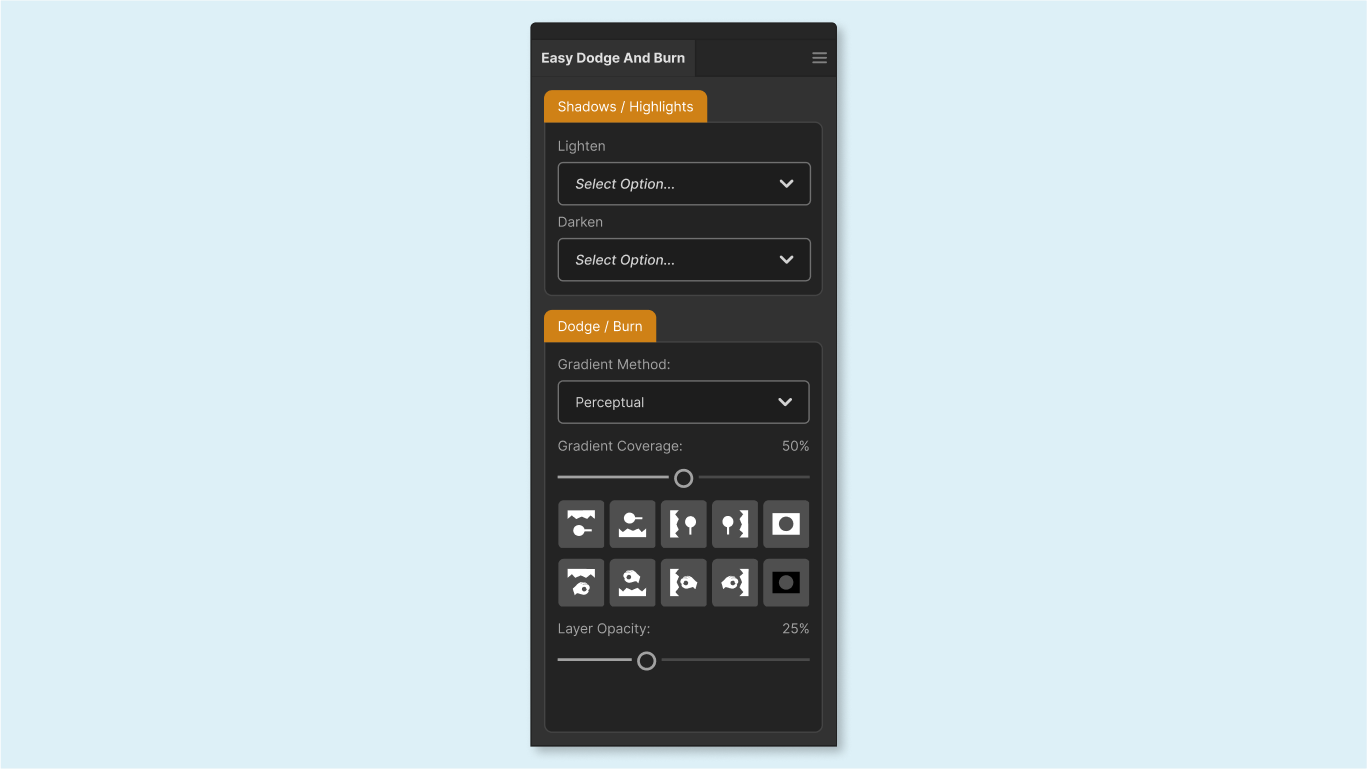
In the top section of the plugin, we have the option to Burn or Dodge either the shadows or the highlights within the image.

This is accomplished by selectively targeting those areas using the power of 16bit luminosity masks rather that the older 8bit selections.

Options include:

  • Lighten Shadows (3 variations)
  • Lighten Highlights (3 variations)
  • Darken Shadows (3 variations)
  • Darken Highlights (3 variations)
Burn Dodge Shadows Highlights

Dodge & Burn Fade

In the lower section we have a series of presets which target different areas of the image using the dodge and burn fade method.

Areas include:

  • Burn Top
  • Burn Bottom
  • Burn Left
  • Burn Right Dodge Top
  • Dodge Bottom
  • Dodge Left, Dodge Right
dodge burn with perceptual gradient
Shopping Basket
  • Your basket is empty.
Scroll to Top