
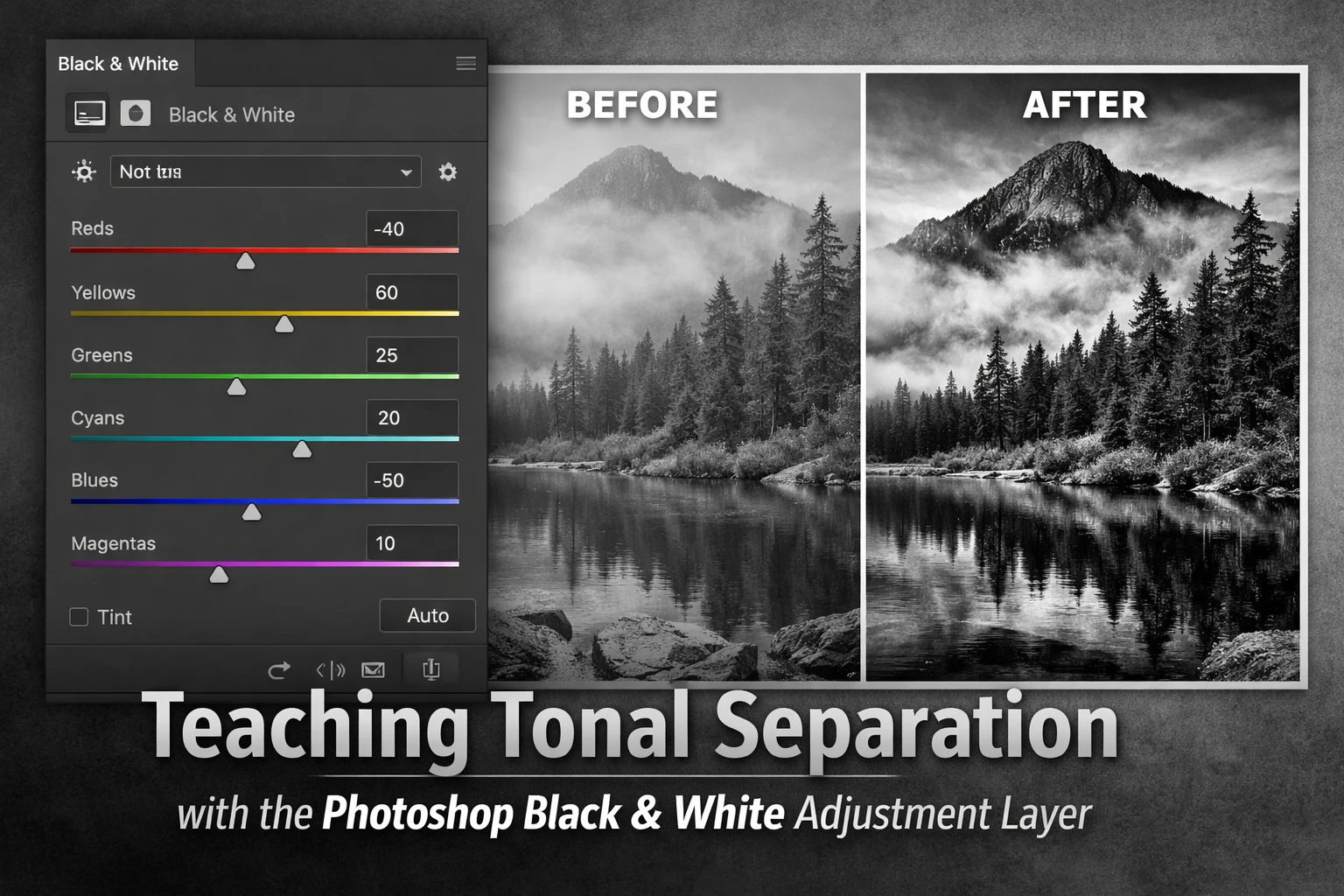
Black and White Tonal Separation
One of the biggest challenges in black and white photography is learning how to control tonal separation.
When photographers first convert a colour photograph to black and white in Photoshop, the result often feels flat or lifeless. Colours that once separated elements in the image collapse into similar shades of grey, and important subjects may no longer stand out from their surroundings.
Understanding tonal separation is the key to producing stronger monochrome photographs. Fortunately, Photoshop provides a very effective tool for exploring this concept: the Black & White adjustment layer.
What Is Tonal Separation?
Tonal separation refers to the way different elements in a photograph are distinguished by their brightness values.
In colour photography, subjects often separate naturally because of colour differences. A red subject against green foliage, for example, is easy for the eye to distinguish.
In black and white photography those colour differences disappear. What remains is tone — the relationship between highlights, midtones and shadows.
A successful monochrome photograph usually contains:
- clear highlights
- well-structured midtones
- controlled shadows
When these tones are too similar, the image becomes muddy and lacks depth.
How to Convert a Colour Photo to Black and White in Photoshop
To convert a colour photograph to black and white in Photoshop, add a Black & White adjustment layer from the Layers panel. This tool allows you to control how colours translate into tones using sliders for reds, yellows, greens, cyans, blues and magentas, giving far greater control than simply removing colour.
Steps
- Open your image in Photoshop
- Click Layer → New Adjustment Layer → Black & White
- Adjust the colour sliders to control tonal brightness
- Fine-tune the tonal balance until the subject stands out clearly
Why the Black & White Adjustment Layer Is So Useful
The Black & White adjustment layer is particularly useful for teaching tonal separation because it allows you to control how different colours convert to grey.
The panel contains sliders for:
- Reds
- Yellows
- Greens
- Cyans
- Blues
- Magentas
Each slider changes the brightness of areas that originally contained that colour.
For example:
- darkening the Blues can deepen a sky
- brightening the Yellows can lift foliage
- adjusting the Reds can refine skin tones
These adjustments make it possible to separate elements that would otherwise merge together.
A Simple Exercise for Understanding Tonal Separation
A helpful way to understand tonal separation is to exaggerate the adjustments and observe how the image changes.
Try this simple exercise:
- Add a Black & White adjustment layer
- Move each slider significantly in both directions
- Observe how different parts of the image respond
You will quickly notice that different objects in the photograph respond to different colour sliders. This reveals how colour information can be used to shape the tonal structure of the final black and white image.
Once you understand this relationship, you can begin to adjust tones more deliberately.
Learning to Read an Image in Tones
One of the most useful skills in black and white photography is learning to look at an image purely in terms of tone.
Instead of focusing on colour, ask questions such as:
- Does the subject stand out from the background?
- Are important shapes clearly defined?
- Is there enough tonal contrast to guide the viewer’s eye?
Developing this habit helps you make more intentional adjustments when converting images to monochrome.
Reinforcing Separation with Contrast
After establishing the main tonal relationships, subtle contrast adjustments can strengthen the image further.
This might include:
- curves adjustments
- local contrast improvements
- subtle tonal shaping
These refinements can help reveal texture in areas such as:
- rock surfaces
- tree bark
- architectural detail
- clouds
Small adjustments often make a significant difference to the overall impact of the photograph.
Final Thoughts
Learning tonal separation is one of the most important steps in producing strong black and white photographs.
The Photoshop Black & White adjustment layer provides a simple but powerful way to explore how colours translate into tones and how those tones interact across an image.
With practice, you will begin to recognise tonal relationships more quickly and adjust them with greater confidence. Over time, this understanding becomes instinctive and leads to monochrome photographs with far greater depth and clarity.
